
Have you ever turned the key in your Nissan’s ignition, only to see the message “Key ID Incorrect” pop up? It’s frustrating and confusing.
You might wonder what went wrong and how to fix it quickly. This problem can stop you from starting your car, leaving you stuck and worried. But don’t panic. You’ll discover why your Nissan says “Key ID Incorrect” and what simple steps you can take to solve it.
Keep reading to get your car back on the road without hassle.
Common Reasons For Key Id Errors
Key ID errors in Nissan cars occur when the vehicle cannot recognize the key’s signal. This error stops the car from starting or unlocking. Several common reasons cause this problem. Understanding these reasons helps fix the issue faster.
Faulty Key Transponder
The transponder chip inside the key sends a code to the car. If the chip is broken or worn out, the car cannot read the code. A faulty transponder causes the key ID error message to appear.
Damaged Key Fob Battery
Weak or dead batteries in the key fob reduce signal strength. The car may not detect the key properly. Replacing the battery often solves the key ID error.
Issues With The Immobilizer System
The immobilizer system prevents the car from starting without the right key. Faults in this system can block key recognition. Repairs or resets may be needed to fix the problem.
Software Glitches In The Vehicle
Sometimes the car’s computer has bugs or errors. These glitches can cause wrong key ID readings. Updating or resetting the software might clear the error message.
Aftermarket Key Compatibility
Keys not made by Nissan may not work well with the car’s system. Aftermarket keys might cause ID errors. Using a genuine Nissan key ensures better compatibility.

Credit: motchecker.org
Quick Fixes To Try First
Seeing the “Key ID Incorrect” message on your Nissan can be frustrating. Before calling a mechanic, try some simple fixes. These quick steps often solve the problem without extra cost or delay.
Start with easy checks to save time. Most issues come from common causes like battery or signal problems. Follow these quick fixes to get your Nissan working again.
Replace Or Recharge The Key Fob Battery
The key fob battery often causes the “Key ID Incorrect” message. A weak or dead battery stops the key from communicating with your car. Replace the battery with a new one or recharge it if possible. Use a fresh battery designed for your key fob model. This simple step solves many key recognition errors.
Use The Spare Key
Try the spare key if your main key does not work. Sometimes, the key itself may be damaged or out of sync. Using a different key helps identify if the issue is with the key or the car. If the spare key works fine, the problem lies with the original key fob.
Reset The Car’s Computer System
Resetting the car’s computer system can clear errors causing the key problem. Turn off the car and remove the key. Disconnect the car battery for a few minutes. Reconnect the battery and start the car. This resets the system and may fix the “Key ID Incorrect” message.
Reprogram The Key Fob
Sometimes the key fob loses its programming. Reprogramming the key helps the car recognize it again. Follow your Nissan’s manual for reprogramming instructions. Usually, it involves turning the ignition and pressing buttons on the key fob. This step often solves key recognition issues.
Check For Interference From Other Devices
Electronic devices nearby can interfere with the key signal. Mobile phones, other key fobs, or wireless gadgets may block communication. Move away from such devices and try the key again. Reducing interference can clear the “Key ID Incorrect” warning quickly.
When To Consult A Professional
Knowing when to consult a professional is key to fixing your Nissan’s key ID error. Some problems may seem small but need expert help. Early action can save you time and money. It prevents further damage and keeps your car secure. Learn the signs that require a professional’s touch.
Persistent Key Id Error Messages
Seeing the key ID error over and over is a sign of a deeper issue. This means the car’s system struggles to read your key. A simple reset may not work. A technician can diagnose the root cause and fix it properly.
Multiple Keys Not Recognized
Your Nissan should recognize all programmed keys. If several keys fail, the problem is likely with the car’s system. This issue needs expert attention to avoid being locked out or stuck without a working key.
Immobilizer System Malfunctions
The immobilizer prevents theft by blocking the engine from starting. If it malfunctions, your car may not start even with the right key. A professional can test the immobilizer and repair or replace faulty parts quickly.
Need For Key Reprogramming Services
Sometimes keys lose their programming due to battery changes or system resets. Reprogramming keys requires special tools and knowledge. Experts can reprogram keys so they work perfectly with your Nissan’s security system.

Credit: www.youtube.com
Preventing Future Key Id Problems
Preventing future key ID problems with your Nissan is easier than you think. Small habits can keep your key working well. Taking care of the key helps avoid errors and frustration. Here are some simple steps to protect your key and keep it in good shape.
Proper Key Storage Tips
Store your Nissan key in a safe, dry place. Avoid leaving it in direct sunlight or near heat. Keep the key away from water and moisture. Use a small pouch or case to protect it from scratches. Do not place heavy objects on the key. These habits prevent damage and preserve the key’s chip.
Regular Battery Replacement
Change the key battery regularly to avoid power issues. A weak battery can cause the key ID error. Check the battery every six months. Use the correct battery type as recommended by Nissan. Replacing the battery early prevents unexpected key failures. Always keep a spare battery handy for quick replacement.
Avoiding Physical Damage To Keys
Handle your Nissan key with care to avoid physical damage. Do not drop or throw the key. Avoid bending or twisting the key fob. Keep the key away from sharp objects that can scratch or crack it. Physical damage can break the internal chip, causing ID errors. Treat your key gently to extend its life.
Keeping Software Updated
Keep your Nissan’s software updated to support key recognition. Visit your dealer for software updates. Updated software improves communication between the car and key. Older versions may cause key ID errors. Regular updates ensure smooth operation and fewer problems. Stay current to avoid unnecessary key issues.
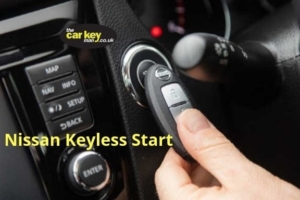
Credit: thecarkeyman.co.uk
Frequently Asked Questions
Why Does My Nissan Say Key Id Incorrect?
The car’s system can’t read the key’s code. It may be damaged or not programmed.
Can A Weak Key Battery Cause Key Id Errors?
Yes, a low battery can stop the key from sending signals properly.
How Do I Fix The Key Id Incorrect Error?
Try replacing the key battery or reprogramming the key with a dealer.
Does Using A Spare Key Solve The Key Id Problem?
Sometimes. A spare key might work if the original key is faulty.
Can A Car’s Immobilizer Cause Key Id Incorrect Messages?
Yes, problems with the immobilizer system can block the key from starting the car.
When Should I Visit A Nissan Dealer For Key Issues?
Visit if replacing the battery or reprogramming doesn’t fix the error.
Conclusion
A Nissan showing “Key ID Incorrect” means the car cannot read the key. This often happens if the key is damaged or not programmed right. Try using a spare key or check the battery in your key fob. Visiting a dealer or locksmith can help fix the problem quickly.
Understanding this issue helps you avoid being stranded. Stay calm and follow simple steps to get back on the road. Your Nissan will start again soon with the right key solution.
As an Amazon Associate, I earn from qualifying purchases

