
Is your Nissan Frontier’s Service Engine Soon light staying on, leaving you worried and unsure what to do next? You’re not alone.
That little warning can be confusing and even frustrating. But don’t panic—resetting the Service Engine Soon light is easier than you think. You’ll discover simple, step-by-step ways to reset the light yourself, saving you time and money. Keep reading, and by the end, you’ll feel confident handling this common issue on your own.

Credit: www.wikihow.com
Service Engine Soon Light Basics
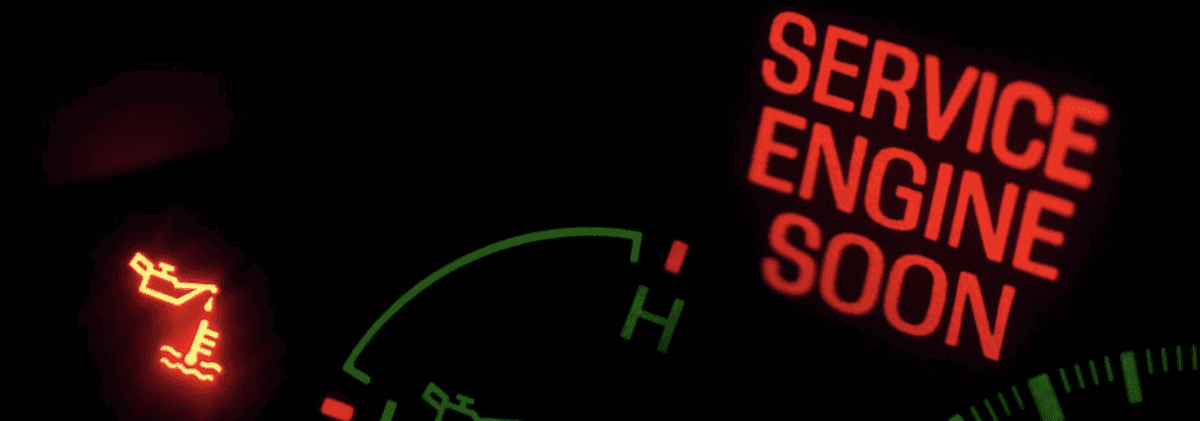
The Service Engine Soon light is a warning on your Nissan Frontier’s dashboard. It signals that the vehicle needs attention. Understanding this light helps you keep your truck running smoothly. Ignoring it can lead to bigger problems and costly repairs.
This light does not always mean an emergency. Sometimes, it points to minor issues that you can fix quickly. Knowing the basics helps you decide when to act fast or when to wait.
What The Light Means
The Service Engine Soon light shows a problem with the engine or emissions system. It could mean the engine is not running efficiently. The car’s computer finds a fault and turns the light on. It alerts you to check the system or repair parts. The light can flash or stay steady. A flashing light means a serious issue that needs quick attention.
Common Causes In Nissan Frontier
The most common cause is a loose or damaged gas cap. This allows fuel vapors to escape, triggering the light. Other causes include faulty oxygen sensors and dirty air filters. Problems with spark plugs or ignition coils also cause this warning. Sometimes, the exhaust system or fuel injectors might have issues. Regular checks can help find these problems early.
Credit: www.speedcraftnissan.com
Tools Needed For Reset
Resetting the Service Engine Soon light on your Nissan Frontier requires some basic tools. These tools help you read and clear error codes from the vehicle’s computer. Having the right equipment makes the process easier and faster.
Some tools are simple and common, while others are more specialized. Prepare these before starting the reset to avoid delays or mistakes.
Obd-ii Scanner
An OBD-II scanner reads trouble codes from your vehicle’s system. This device connects to the Nissan Frontier’s diagnostic port. It identifies the cause of the Service Engine Soon light.
The scanner can clear codes after repairs. This action turns off the warning light. Many models are affordable and easy to use. Choose one that fits your budget and skill level.
Basic Vehicle Tools
Basic tools like screwdrivers and wrenches may be necessary. These tools help access the diagnostic port or remove parts if needed. A flashlight can also be useful in tight spaces.
Keep a vehicle manual handy. It guides you through the reset steps and tool use. Having these tools ready ensures a smooth reset process.
Preparing Your Nissan Frontier
Resetting the Service Engine Soon light on a Nissan Frontier can save time and hassle. Follow easy steps to clear the warning and keep your truck running smoothly. Understanding this process helps maintain your vehicle’s health without extra trips to the mechanic.
Safety Precautions
Start by parking your Nissan Frontier on a flat surface. Ensure the engine is off and cool to avoid burns. Keep the parking brake engaged to stop the truck from moving. Remove keys from the ignition to prevent accidental starts. Wear gloves to protect your hands from dirt and sharp parts. Use safety glasses if you plan to check under the hood. Avoid loose clothing that can get caught in engine parts. Always work in a well-lit area to see clearly. These steps keep you safe during the reset process.
Vehicle Conditions To Check
Check the gas cap first. A loose or damaged cap often triggers the Service Engine Soon light. Tighten it until you hear a click. Look for any obvious leaks under the truck. Inspect the oil level using the dipstick. Low oil can cause engine issues. Check the coolant level to avoid overheating. Examine the air filter for dirt or blockages. A dirty filter affects engine performance. These simple checks help prepare your Nissan Frontier for the reset.
Resetting The Light Using Obd-ii Scanner
Resetting the Service Engine Soon light on your Nissan Frontier is easy with an OBD-II scanner. This tool reads and clears trouble codes from your vehicle’s computer. Using an OBD-II scanner saves time and helps you avoid extra trips to the mechanic. Below are the steps to reset the light properly.
Connecting The Scanner
First, locate the OBD-II port under the dashboard on the driver’s side. Plug the scanner into this port securely. Turn the ignition to the “On” position but do not start the engine. The scanner will power on and communicate with your vehicle’s computer. Wait for the scanner to detect your Nissan Frontier’s system.
Clearing The Codes
Once connected, navigate the scanner menu to find the “Read Codes” option. Review any stored error codes that cause the Service Engine Soon light. Select the “Clear Codes” or “Erase Codes” option to reset the light. After clearing, turn off the ignition and unplug the scanner. Start the engine to check if the light stays off.
Manual Reset Methods
Resetting the Service Engine Soon light on your Nissan Frontier can be done manually. This method does not require special tools or devices. It helps clear simple errors after maintenance or repairs.
Manual reset methods work by interrupting the car’s power or using the ignition system. These steps are easy and quick. Follow them carefully to reset the warning light safely.
Using The Ignition Key
Start by turning the ignition key to the “ON” position. Do not start the engine. Leave the key in this position for about 10 seconds. This action lets the car check its systems.
Next, turn the key back to the “OFF” position. Wait for five seconds. Repeat this process three times. After the third cycle, turn the key to “ON” again.
The Service Engine Soon light should blink and then turn off. This means the reset is complete. If the light stays on, try the process again or use another method.
Battery Disconnect Method
Locate the battery under the hood of your Nissan Frontier. Use a wrench to disconnect the negative battery cable. This cable is usually marked with a minus (-) sign.
Leave the battery disconnected for about 15 minutes. This time allows the car’s computer to reset itself. After waiting, reconnect the negative cable tightly.
Start the engine to check if the Service Engine Soon light is off. This method clears stored error codes from the car’s memory. It works well for simple resets.
After Reset Checks
After resetting the Service Engine Soon light on your Nissan Frontier, it is important to perform some checks. These checks help ensure the reset worked properly. They also confirm the vehicle runs well without any hidden issues.
Monitoring your truck after reset protects your engine and keeps it in good shape. Follow these simple steps to stay safe and avoid future problems.
Driving To Confirm Reset
Start driving your Nissan Frontier slowly and carefully. Watch the dashboard for the Service Engine Soon light. It should stay off if the reset was successful.
Drive for about 10 to 15 minutes on different road types. This helps the car’s computer system update fully. Be alert to any unusual sounds or changes in performance.
When The Light Comes Back On
If the Service Engine Soon light returns, do not ignore it. This means the vehicle detected a problem again. Check for loose gas caps or minor issues first.
Visit a trusted mechanic or use an OBD-II scanner to read error codes. These codes point to the exact problem. Fixing the root cause will keep your Frontier running smoothly.
Preventing Future Service Engine Soon Alerts
Preventing future Service Engine Soon alerts in your Nissan Frontier helps keep the vehicle reliable. This saves time and avoids unexpected trips to the mechanic. Taking simple steps regularly can reduce the chances of the light coming on again. Careful attention to your truck’s needs keeps it running smoothly and safely.
Regular Maintenance Tips
Follow the Nissan Frontier’s maintenance schedule strictly. Change the oil and filter on time. Replace air filters every 12,000 to 15,000 miles. Check spark plugs and replace them if worn. Use recommended parts and fluids to keep the engine healthy. Regular inspections catch small problems early before they cause the light to appear.
Monitoring Vehicle Performance
Watch for changes in how your truck drives. Notice rough idling, poor fuel economy, or strange noises. These signs often appear before the Service Engine Soon light. Use a code reader to check for error codes occasionally. Stay alert to smells or smoke from the engine area. Early detection helps fix issues fast and prevents bigger problems.

Credit: www.youtube.com
Frequently Asked Questions
How Do I Reset The Service Engine Soon Light On Nissan Frontier?
Turn the ignition on, press the gas pedal three times fully, then turn off ignition.
Can I Reset The Service Engine Soon Light Without A Scanner?
Yes, use the gas pedal method or disconnect the battery for 15 minutes.
Why Does The Service Engine Soon Light Stay On After Reset?
The light stays on if the issue is not fixed or sensors detect problems.
How Long Does It Take To Reset The Service Engine Soon Light?
Resetting usually takes less than 5 minutes with the correct steps.
Will Disconnecting The Battery Reset The Service Engine Soon Light?
Yes, disconnecting the battery for 15 minutes can reset the light.
Is It Safe To Drive With The Service Engine Soon Light On?
Short drives are okay, but get the vehicle checked to avoid damage.
Conclusion
Resetting the Service Engine Soon light on your Nissan Frontier is simple. Follow the steps carefully to avoid mistakes. Always check your engine first to find any real problems. Clearing the light does not fix issues by itself. Stay safe by keeping your truck maintained regularly.
Remember, this light helps you know when to act. Now you can handle this task with confidence. Keep your Nissan running smoothly and avoid costly repairs. Your truck deserves good care and attention.
As an Amazon Associate, I earn from qualifying purchases

