
Are you ready to get the most out of your Nissan vehicle? Knowing how to use Nissan Connect can transform your driving experience, making it safer, smarter, and more enjoyable.
Whether you want to control your car’s features from your phone, stay connected on the road, or access helpful apps with ease, this guide will show you exactly how to do it. Keep reading, and you’ll discover simple steps that unlock powerful tools designed just for you.
Don’t miss out on making your drive easier and more connected!
Credit: www.evanshalshaw.com
Getting Started With Nissan Connect
Nissan Connect makes driving easier and more fun. It links your car with your phone and the internet. This guide helps you start using Nissan Connect quickly. Follow simple steps to set up your account, connect your smartphone, and learn the interface.
Setting Up Your Account
First, create a Nissan Connect account online. Visit the official Nissan Connect website. Enter your email, name, and create a password. Verify your email to activate the account. This step allows you to use all Nissan Connect features.
Next, add your vehicle details. You need your car’s VIN number. This links your car to your account. Keep your login information safe for future use.
Connecting Your Smartphone
Download the Nissan Connect app from your app store. Available for both iPhone and Android devices. Open the app and log in with your account details. Enable Bluetooth on your phone and car.
Follow the app instructions to pair your phone with the car system. This connection allows hands-free calls, music streaming, and access to apps. Ensure your phone stays connected during your drive.
Navigating The Interface
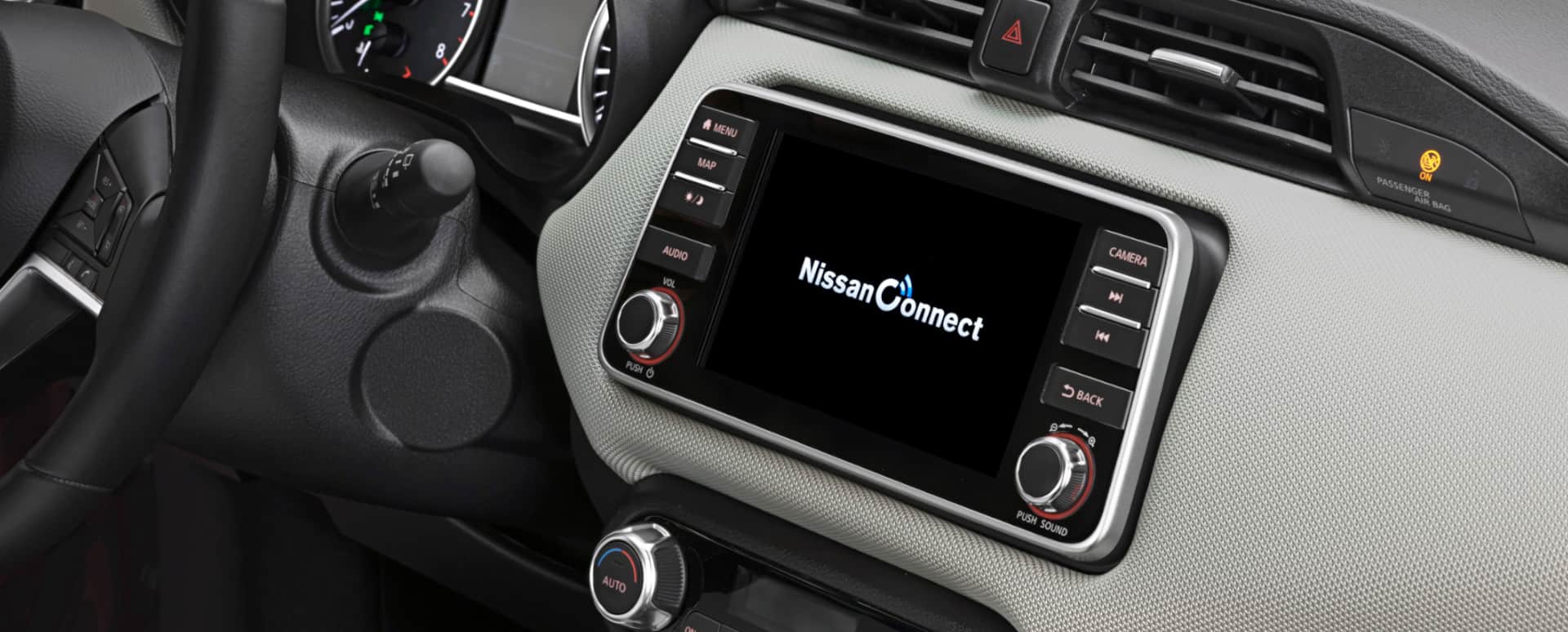
The Nissan Connect interface is simple and user-friendly. The home screen shows main features like navigation, music, and phone. Use the touchscreen or voice commands to control the system.
Explore menus by tapping icons. Adjust settings to fit your preferences. Regular use helps you become comfortable with the system quickly. Enjoy a safer and smarter drive with Nissan Connect.
Key Features Of Nissan Connect
Nissan Connect offers several useful features that enhance your driving experience. It keeps you connected and informed on the road. The system is easy to use and helps you stay safe and entertained.
Explore the key features below to understand how Nissan Connect works.
Real-time Navigation
Nissan Connect provides real-time navigation to guide you on your route. It shows traffic updates and suggests faster paths. This feature helps avoid delays and reach your destination on time. The maps update automatically, so you always have the latest information.
Hands-free Calling And Messaging
The system allows hands-free calling and messaging. You can make calls or send texts without touching your phone. Voice commands control these functions, keeping your focus on the road. This feature improves safety and convenience during driving.
Music And Entertainment Options
Nissan Connect supports various music and entertainment apps. You can stream your favorite songs or listen to podcasts easily. The system connects with your smartphone or USB devices. Controls are simple and accessible from the dashboard.
Vehicle Health Monitoring
The vehicle health monitoring feature tracks your car’s condition. It sends alerts about maintenance needs or issues. You get reminders for oil changes, tire pressure, and more. This helps keep your car in good shape and prevents breakdowns.
Customizing Your Experience
Customizing your Nissan Connect experience helps you get the most from your vehicle’s technology. It lets you adjust features to fit your daily needs. Personal touches make driving easier and more enjoyable. Spend a few minutes setting up your preferences to save time and stay connected.
Personalizing Settings
Access the settings menu on your Nissan Connect screen. Change language, display brightness, and sound levels. Adjust climate control options to match your comfort. Set driver profiles to save seat and mirror positions. These small changes make the system feel like it’s made for you.
Managing Notifications
Control which alerts you receive on your Nissan Connect. Turn off notifications that distract you while driving. Keep important alerts like maintenance reminders and safety warnings active. This helps you stay focused on the road and informed about your vehicle’s condition.
Creating Favorite Destinations
Save places you visit often, such as home and work. Add new destinations directly from the navigation screen. Quickly select favorites for fast route planning. This feature reduces typing while driving and helps you reach places faster.

Credit: www.youtube.com
Troubleshooting Common Issues
Troubleshooting common issues with Nissan Connect helps keep your driving experience smooth. Problems can happen, but most have simple fixes. Understanding how to resolve these issues saves time and reduces frustration.
Connectivity Problems
Connectivity issues often stem from weak signals or device settings. First, check your phone’s Bluetooth and Wi-Fi. Turn them off and on again to refresh the connection. Also, ensure your car’s system is within range of your device. Restarting your Nissan Connect system can clear minor glitches. If problems persist, delete and re-pair your phone to the car’s system.
App Crashes And Freezes
App crashes or freezes may occur due to outdated software or low device memory. Close the app completely and reopen it. Clear the app’s cache in your phone settings to free space. Restart your phone if the app still freezes. Reinstalling the app can fix deeper problems. Make sure your phone’s operating system is updated to the latest version.
Updating Software
Keeping your Nissan Connect software updated improves performance and security. Check for updates regularly in the app or car system menu. Connect your car to Wi-Fi or use a USB drive for updates. Follow the on-screen instructions carefully during the update process. Do not turn off your car or disconnect devices while updating. Updates fix bugs and add new features for better use.
Tips For Safe And Efficient Driving
Driving safely and efficiently with Nissan Connect makes every trip easier. This system helps you stay focused on the road. It also gives useful tools to plan routes and control features without taking your hands off the wheel.
Follow these tips to use Nissan Connect smartly. They help reduce distractions and save time. Your driving becomes smoother and safer.
Using Voice Commands
Speak commands to control Nissan Connect. This keeps your eyes on the road. Say things like “Call home” or “Play music.” The system listens and acts fast. It reduces the need to touch the screen. Voice commands help you stay alert and safe.
Minimizing Distractions
Keep distractions low by setting up Nissan Connect before you drive. Choose your destination and music ahead of time. Avoid typing or searching while moving. Use simple controls and shortcuts. This lowers the chance of losing focus. A clear mind improves your reaction time.
Optimizing Route Planning
Plan routes with Nissan Connect to save time and fuel. The system shows traffic and road conditions. Choose the fastest or shortest path. Avoid busy roads and delays easily. This helps you reach places faster. Efficient routes mean less stress and better gas mileage.

Credit: 66nissan.com
Integrating Nissan Connect With Other Devices
Nissan Connect offers more than just in-car features. It can work smoothly with other devices to enhance your driving experience. Connecting Nissan Connect with smart devices helps you control your car and stay updated. This section explains how to link Nissan Connect with smart homes, third-party apps, and wearables.
Smart Home Integration
Link Nissan Connect to your smart home system for easy control. You can check your car’s status from your home assistant. Turn on the climate control or lock doors remotely. It saves time and adds convenience to your daily routine.
Using Third-party Apps
Many third-party apps support Nissan Connect features. These apps offer navigation, music, and vehicle tracking. Connect your phone apps to Nissan Connect for a seamless experience. Enjoy hands-free calls and music without distractions.
Connecting Wearable Devices
Wearable devices like smartwatches can pair with Nissan Connect. Receive notifications about your car directly on your wrist. Track driving data and get alerts on your wearable device. This keeps you informed without needing to check your phone.
Frequently Asked Questions
What Is Nissan Connect And How Does It Work?
Nissan Connect is a system that links your car to your smartphone. It offers navigation, music, and hands-free calls.
How Do I Set Up Nissan Connect In My Car?
Download the Nissan Connect app, create an account, and pair your smartphone with your vehicle via Bluetooth.
Can I Use Nissan Connect For Navigation Directions?
Yes, it provides real-time GPS navigation with traffic updates and route planning on your car’s display.
Is Nissan Connect Compatible With All Smartphones?
Nissan Connect works with most Android and iPhone devices that support Bluetooth and the app.
How Do I Control Music Using Nissan Connect?
Use the touchscreen or voice commands to play, pause, skip songs, and access streaming apps safely.
Can I Make Hands-free Calls Using Nissan Connect?
Yes, connect your phone and use voice commands or the car’s controls to make and receive calls.
Conclusion
Nissan Connect helps you stay connected on the road. It offers easy access to music, maps, and calls. You can control many features right from your car’s screen. Using Nissan Connect makes driving safer and more fun. Try using its main features step by step.
Keep your app updated for the best experience. Enjoy your trips with this helpful tool. Simple and smart—Nissan Connect fits your driving needs well.
As an Amazon Associate, I earn from qualifying purchases

