
If you own a Nissan Rogue, you might have noticed the AWD Lock feature and wondered how to turn it off when it’s not needed. Knowing how to disable AWD Lock can save your vehicle from unnecessary wear and improve your driving experience.
In this guide, you’ll learn simple, step-by-step instructions to switch off AWD Lock quickly and safely. Keep reading to take control of your Nissan Rogue and make every drive smoother.
Awd Lock Basics
The AWD Lock feature on your Nissan Rogue helps improve traction. It changes how power goes to your wheels. This is useful in certain driving conditions. Knowing how and when to use it keeps you safe.
Understanding AWD Lock basics makes it easier to control your vehicle. It also helps you avoid damage to your car’s drivetrain. Let’s explore what AWD Lock does and when to use it.
What Awd Lock Does
AWD Lock sends power equally to all four wheels. This helps your vehicle grip the road better. It works well on slippery surfaces like snow or mud. AWD Lock keeps your Rogue from slipping or getting stuck. It is different from regular AWD, which adjusts power automatically. With AWD Lock, power is fixed to all wheels.
When To Use Awd Lock
Use AWD Lock on rough or slippery roads. It helps when driving on snow, ice, or loose dirt. Do not use it on dry pavement. Using AWD Lock on dry roads can cause damage. Turn it off once you return to normal roads. AWD Lock is best for low-speed driving in tough conditions. It improves control and keeps you safe in bad weather.
Locating The Awd Lock Button
Finding the AWD lock button in your Nissan Rogue is simple. It helps control the all-wheel-drive system. Knowing where this button is saves time and avoids confusion. The button can be in two main areas inside your car. Each location has a clear design for easy use.
Dashboard Controls
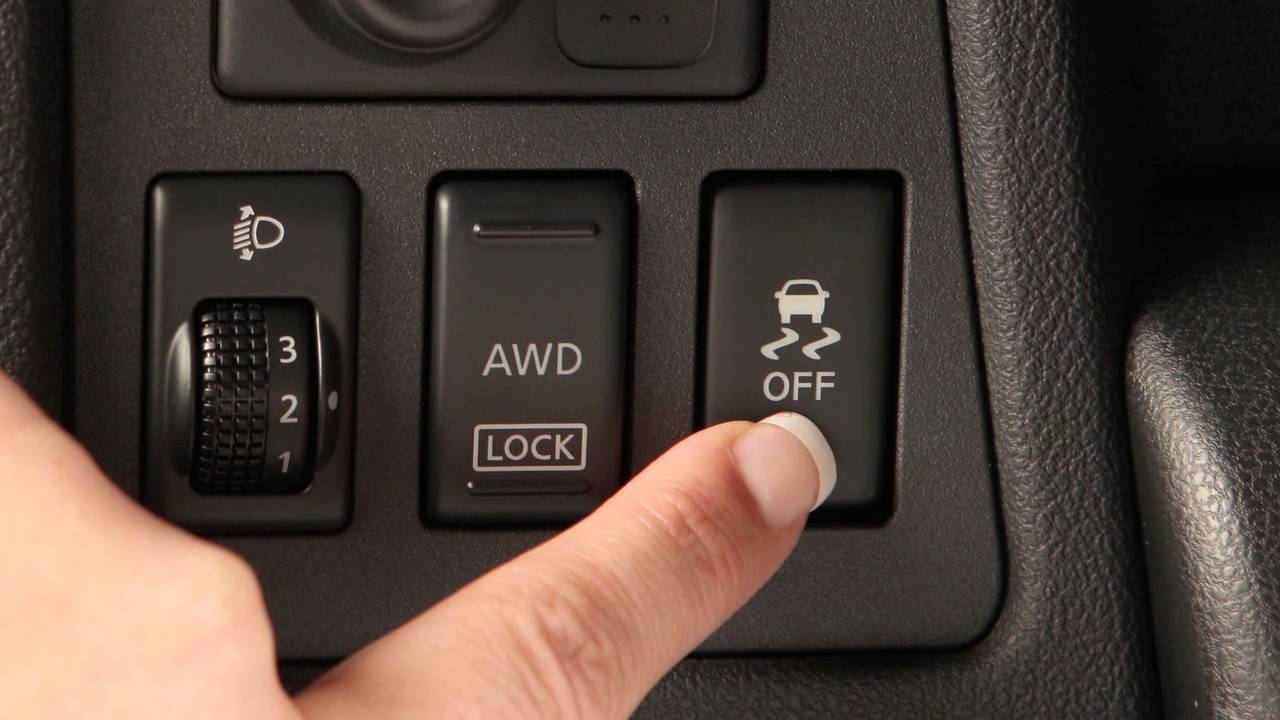
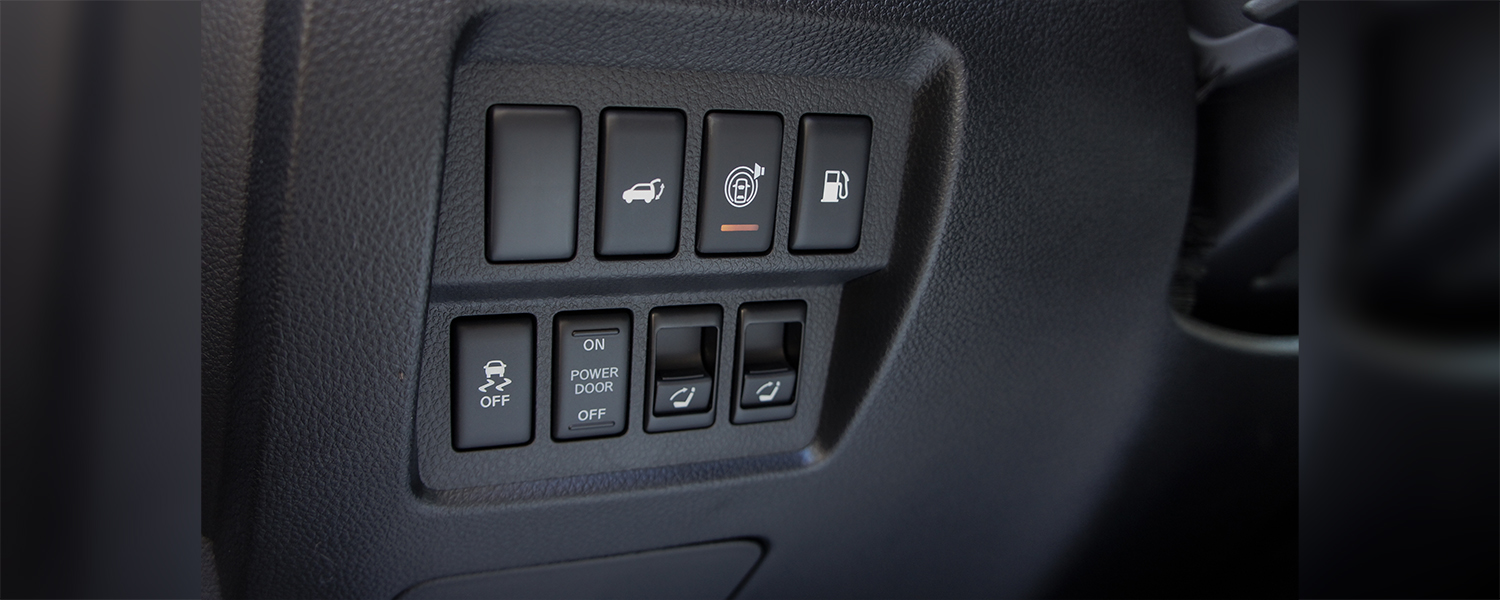
Some Nissan Rogue models place the AWD lock button on the dashboard. It usually sits near the steering wheel. The button shows a symbol of wheels or “AWD Lock” text. This location lets drivers quickly reach the control. The dashboard placement ensures you can toggle it without moving your hand far.
Center Console Options
Other Nissan Rogues have the AWD lock button on the center console. This area lies between the driver and passenger seats. The button blends with other driving controls here. It may appear as a small switch or a push button. Center console placement keeps the button within easy reach while driving.
Steps To Turn Off Awd Lock
The steps to turn off the AWD lock on a Nissan Rogue are simple. Following these steps helps you switch back to normal all-wheel drive mode. This saves fuel and prevents unnecessary wear on the drivetrain.
Each step is important to ensure the system turns off correctly. Let’s break down the process into clear actions.
Engine On Or Off
Start by making sure the engine is running. The AWD lock button works only with the engine on. Turning off the engine will not let you change the AWD settings.
Pressing The Button
Locate the AWD lock button on your dashboard. Press it once to turn off the AWD lock. You might hear a small click or feel a light press.
Hold the button for a second if it does not switch off immediately. Release the button after pressing it.
Indicator Light Check
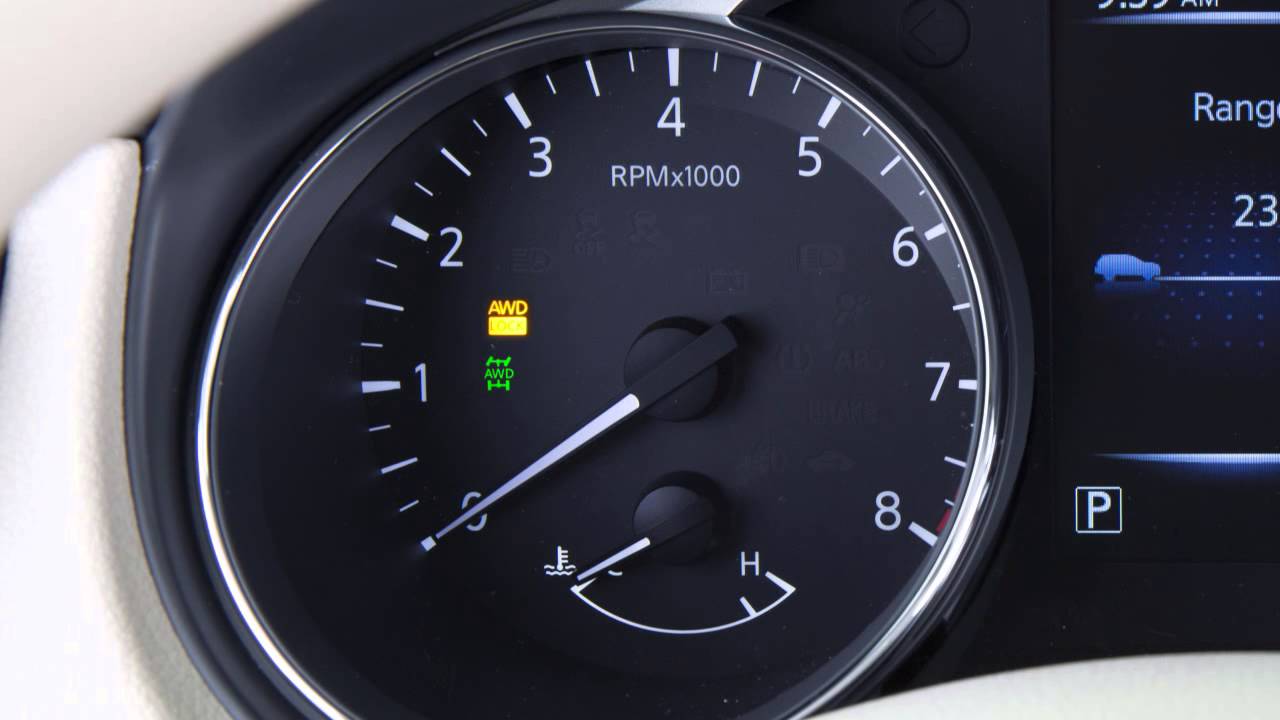
Look at the AWD lock indicator light on the dashboard. It should turn off after you press the button. If the light stays on, press the button again or check the engine status.
The off light confirms the AWD lock is disabled. Your Nissan Rogue is now in normal AWD mode.
Credit: www.youtube.com
Troubleshooting Awd Lock Issues
Troubleshooting AWD lock issues in your Nissan Rogue helps keep your drive safe. AWD lock might not turn off easily sometimes. Problems can range from simple button faults to warning lights on the dashboard. Knowing how to fix these issues saves time and stress on the road.
Button Unresponsive
The AWD lock button may not respond if the car is not in the right mode. Check if your vehicle is in park or neutral, as the button often works only in these modes. Dirt or debris can block the button’s movement. Clean around the button gently. If the button still does not work, there might be an electrical fault. A visit to a mechanic may be needed for a proper check.
Warning Lights
Warning lights related to AWD lock indicate system problems. These lights usually appear on the dashboard. They can warn of low battery voltage or sensor issues. Do not ignore these lights. Turn off the AWD lock and restart the car. If the light stays on, it is best to get professional help. Driving with a warning light on can cause damage.
Consulting The Manual
The Nissan Rogue owner’s manual has key information on AWD lock functions. The manual explains the button’s location and how to operate it correctly. It also lists common issues and solutions. Using the manual helps understand warning lights and error messages. Keep the manual in your glove box for quick reference. This simple step can prevent confusion and save you time.
Benefits Of Disabling Awd Lock
Disabling the AWD lock on your Nissan Rogue can bring several benefits. It helps the vehicle use power more efficiently. This can make driving smoother and save fuel. Also, turning off AWD lock can improve how the car handles on dry roads. Understanding these benefits can help you decide when to switch off the AWD lock.
Improved Fuel Efficiency
AWD lock uses more energy because it powers all wheels. This makes the engine work harder and burn more fuel. Turning off AWD lock means only two wheels get power. This reduces fuel use and can save money on gas. You will notice better miles per gallon during city and highway drives.
Better Handling On Dry Roads
AWD lock is best for slippery or rough roads. On dry pavement, it can make steering stiff and less smooth. Turning off AWD lock lets the front wheels turn freely. This gives better control and easier handling. It also reduces tire wear and makes driving more comfortable.
Credit: www.youtube.com
Credit: usa.nissannews.com
Frequently Asked Questions
How Do I Turn Off Awd Lock On A Nissan Rogue?
Press and hold the AWD lock button until the light turns off. This unlocks the AWD system.
What Does Awd Lock Mean On Nissan Rogue?
AWD lock keeps power to all wheels for better traction on slippery roads.
When Should I Turn Off Awd Lock?
Turn it off on dry, smooth roads to save fuel and reduce wear.
Can I Drive Normally With Awd Lock On?
Yes, but it may cause extra tire wear and use more fuel on dry roads.
Where Is The Awd Lock Button Located In Nissan Rogue?
It is usually on the center console near the gear shifter or dashboard.
Does Turning Off Awd Lock Affect Vehicle Safety?
No, the vehicle still drives safely; AWD lock is for extra traction only.
Conclusion
Turning off the AWD lock on a Nissan Rogue is simple and quick. Just follow the steps carefully to avoid any issues. This helps your car work better on dry roads and saves fuel. Remember to check your owner’s manual for details specific to your model.
Drive safely and enjoy your smooth ride without AWD lock.
As an Amazon Associate, I earn from qualifying purchases

