
Are you wondering if your 2012 Nissan Altima comes with Bluetooth? Staying connected while driving is important, and having Bluetooth can make your trips safer and more enjoyable.
But does this model actually include that feature, or will you need to look for other options? Keep reading to discover the truth about Bluetooth in your 2012 Nissan Altima and find out what you can do to upgrade your driving experience.

Credit: www.youtube.com
Bluetooth Availability In 2012 Nissan Altima
The 2012 Nissan Altima offers Bluetooth technology, but availability depends on the model. Bluetooth allows hands-free calls and wireless audio streaming. This feature improves safety and convenience while driving. Not all 2012 Altima cars come with Bluetooth as standard. Knowing which trims include Bluetooth helps buyers make smart choices.
Bluetooth availability varies between standard and optional packages. Some trims include it by default, while others offer it as an add-on. Understanding these differences can save time and money when shopping for a 2012 Altima.
Standard Vs Optional Bluetooth Features
The 2012 Nissan Altima does not offer Bluetooth as a standard feature on all trims. Lower trims usually lack Bluetooth connectivity. Mid-level and higher trims often include Bluetooth as a standard feature. Some models allow buyers to add Bluetooth through optional packages. This option may include hands-free calling and audio streaming. Confirming the exact Bluetooth features helps avoid surprises.
Trim Levels With Bluetooth Support
Bluetooth support begins with the 2.5 S trim and above. The base 2.5 trim often lacks Bluetooth. The 2.5 S, 3.5 SL, and other high trims include Bluetooth technology. Bluetooth comes built-in on trims with the Premium or Technology package. These trims provide better infotainment systems with Bluetooth. Buyers should check the specific trim and package details. This ensures Bluetooth is available in their chosen 2012 Altima.
How To Check Bluetooth In Your Altima
Checking for Bluetooth in your 2012 Nissan Altima is simple. You can find out if your car has this feature by following a few easy steps. Knowing how to identify Bluetooth helps you use your phone safely while driving. Here are some ways to check Bluetooth in your Altima.
Locating Bluetooth Controls
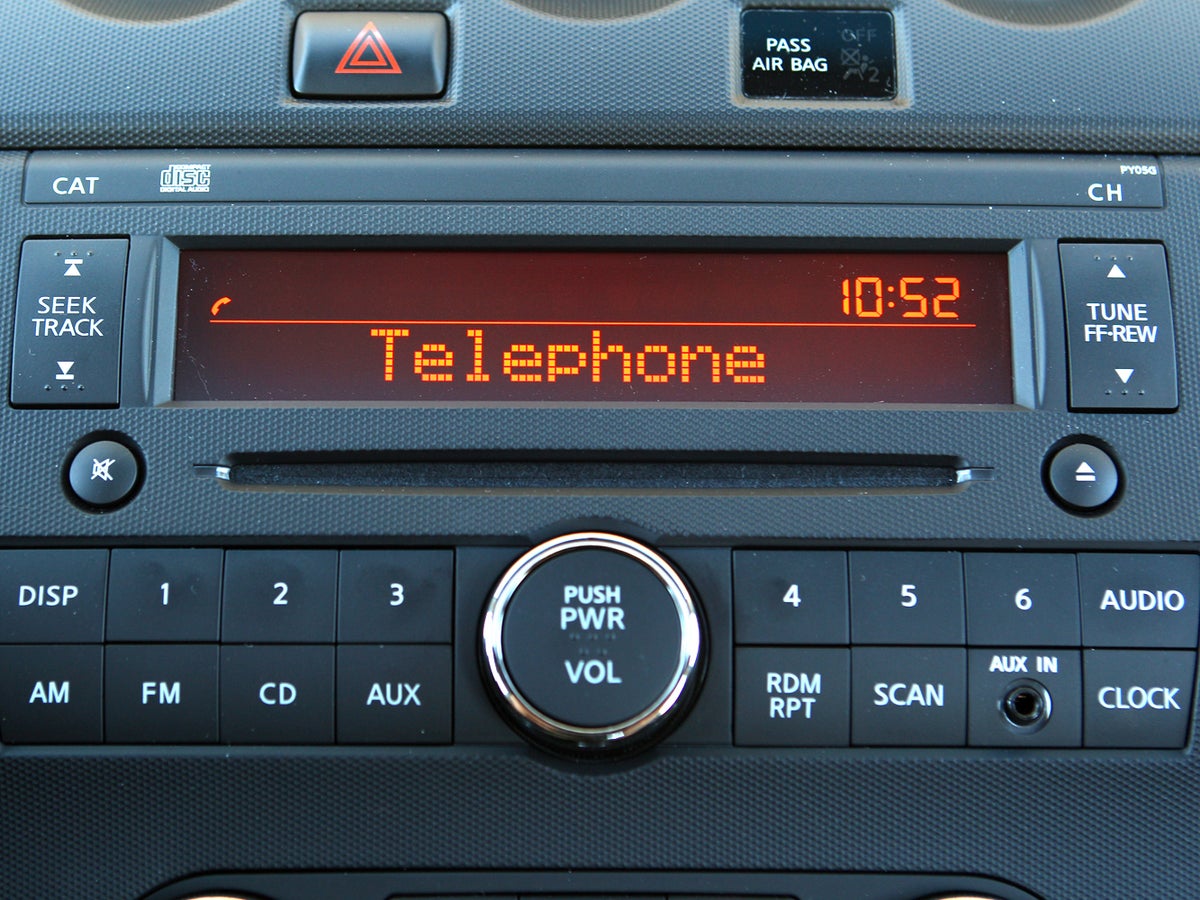
Start by looking at your car’s dashboard and center console. Bluetooth controls often appear near the audio system. Check for buttons labeled “Phone,” “Bluetooth,” or a small phone icon. Press these buttons to see if a Bluetooth menu appears on the screen. If your Altima has a touchscreen, the Bluetooth option might be in the settings menu.
Using The Vehicle Manual
Find the owner’s manual that came with your Altima. This booklet explains all features of your car. Look in the index for “Bluetooth” or “Hands-Free Phone.” The manual shows where to find Bluetooth controls and how to use them. If you don’t have a physical copy, search for a digital version online using your car’s model and year.
Identifying Bluetooth Symbols
Bluetooth symbols look like a sharp “B” made of two triangles. You may see this symbol on buttons, screens, or near the audio system. If the symbol is present, your car likely supports Bluetooth. Some Altimas show a small Bluetooth icon on the display when the system is active. Spotting this sign confirms Bluetooth connectivity.
Pairing Devices With 2012 Altima
Pairing devices with the 2012 Nissan Altima adds convenience to your drive. Bluetooth lets you make calls and play music hands-free. Setting up your phone with the car’s system is simple. Follow clear steps to connect quickly and safely. Stay focused on the road while enjoying your favorite tracks and calls.
Step-by-step Pairing Process
Turn on your car’s ignition and audio system. Go to the Bluetooth settings on your phone. Search for available devices and select “Nissan Altima.” Confirm the PIN displayed on your car’s screen matches your phone. Accept the pairing request on both devices. Wait until the connection is complete. Your phone should now connect automatically each time.
Troubleshooting Connection Issues
Check if Bluetooth is enabled on your phone. Make sure your phone is not connected to other devices. Restart your phone and the car’s audio system. Delete old Bluetooth devices from your phone’s list. Try pairing again following the step-by-step process. If problems persist, consult your Nissan owner’s manual for help.
Bluetooth Functions And Limits
The 2012 Nissan Altima offers Bluetooth features that enhance driving comfort. These features help you stay connected without distraction. Understanding the Bluetooth functions and limits helps you use them well. The system supports basic tasks but has some restrictions.
Hands-free Calling
The Bluetooth system allows hands-free phone calls. You can answer or end calls using buttons on the steering wheel. This feature helps keep your eyes on the road. Voice commands work for dialing numbers saved in your phone. Background noise can sometimes affect call quality.
Audio Streaming Capabilities
The Altima supports audio streaming through Bluetooth. You can play music from your phone or other devices wirelessly. The sound quality is good but may drop if the signal weakens. Some apps might not work well with the system. Streaming controls are basic but easy to use.
Compatibility With Smartphones
The Bluetooth system works with most smartphones from 2012 and earlier. It supports devices with Bluetooth 2.0 and higher. Some newer phones might face connection issues. Software updates on your phone can improve compatibility. Pairing takes a few simple steps through the car’s menu.
Upgrading Bluetooth In 2012 Altima
The 2012 Nissan Altima does not come with built-in Bluetooth. Many drivers want to add Bluetooth for hands-free calls and music streaming. Upgrading Bluetooth in your Altima is possible and can improve your driving experience. There are several ways to add this feature to your car. Below are some simple options to consider.
Aftermarket Bluetooth Kits
Aftermarket Bluetooth kits are popular for older cars. These kits include Bluetooth receivers and adapters. They connect to your car’s existing stereo system. Some kits plug into the cigarette lighter or aux input. Others replace the head unit with a new Bluetooth-enabled model. These kits are easy to find online or in stores. They offer a quick way to add Bluetooth without major changes.
Professional Installation Options
You can install Bluetooth kits yourself, but professional installation is safer. Experts ensure the system works correctly with your car’s electronics. They can also hide wires and keep the dashboard neat. Installation shops often offer warranty on their work. This option saves time and reduces the chance of errors. It fits best if your car needs a complex upgrade.
Cost Considerations
Prices for Bluetooth upgrades vary widely. Basic kits cost less and offer simple functions. More advanced systems with touchscreens or voice control cost more. Professional installation adds to the total price. Expect to pay between $50 and $300 for parts. Installation fees can range from $50 to $150. Choose an option that fits your budget and needs.
Credit: www.cnet.com
Alternative Connectivity Options
For drivers of the 2012 Nissan Altima, Bluetooth may not be a standard feature. Still, connecting your phone or music device to your car’s audio system is possible. Several alternative options offer simple ways to play your favorite songs and take calls safely on the road.
Auxiliary And Usb Inputs
The 2012 Altima often includes an auxiliary input jack. This lets you plug in any device with a headphone output. Just use a standard 3.5mm audio cable to connect your phone or MP3 player. Sound plays directly through the car’s speakers.
Some models also have a USB port. This allows you to connect flash drives or smartphones. The car’s stereo can read music files directly from these devices. USB connections often provide better sound quality than auxiliary cables.
Fm Transmitter Solutions
FM transmitters offer a wireless way to connect devices without Bluetooth. You plug the transmitter into your phone’s headphone jack or USB port. It then broadcasts your music over an FM radio frequency.
To use it, tune your Altima’s radio to the transmitter’s frequency. Your audio plays through the car’s radio. This method works well if your car lacks auxiliary or USB inputs.
User Tips For Optimal Bluetooth Experience
Getting the best Bluetooth experience in your 2012 Nissan Altima makes driving safer and more fun. Small actions help keep the connection strong and the sound clear. Follow these simple tips to enjoy smooth calls and music without interruptions.
Maintaining Connection Stability
Keep your phone close to the car’s Bluetooth system. Avoid metal objects between the phone and the receiver. Turn off other Bluetooth devices to reduce interference. Restart the car’s system and your phone if the connection drops. Update your phone’s software and car system regularly. Pair only one device at a time to prevent confusion.
Maximizing Audio Quality
Adjust the car’s audio settings for the best sound. Use a clean phone case that does not block signals. Lower background noise by closing windows and turning off loud fans. Choose higher quality audio files for music playback. Keep the phone’s volume balanced with the car stereo. Regularly clean your car’s speakers to avoid muffled sound.

Credit: www.youtube.com
Frequently Asked Questions
Does The 2012 Nissan Altima Come With Bluetooth?
The 2012 Nissan Altima offers Bluetooth in some trims, especially higher-end or with optional packages.
How To Check If My 2012 Altima Has Bluetooth?
Look for the Bluetooth symbol on the infotainment screen or check your car’s manual.
Can I Add Bluetooth To A 2012 Nissan Altima?
Yes, you can install an aftermarket Bluetooth adapter or stereo for wireless connectivity.
What Features Does Bluetooth Support In The 2012 Altima?
Bluetooth supports hands-free calling and audio streaming on compatible models.
Is Bluetooth Standard In All 2012 Altima Trims?
Bluetooth is not standard in all trims; it depends on the model and options.
How To Pair My Phone With 2012 Altima Bluetooth?
Use the car’s menu to search for devices, then select and connect your phone.
Conclusion
The 2012 Nissan Altima offers Bluetooth in many trims. It helps you make calls and play music wirelessly. Not all models have this feature built-in. Some may need an upgrade or adapter. Bluetooth adds convenience and safety on the road.
Knowing this helps you choose the right car. Consider your needs before buying or upgrading. Enjoy hands-free driving with the right setup. Simple and useful technology for everyday use.
As an Amazon Associate, I earn from qualifying purchases

